Tracking — links & performance
Destination URLs, tracking links generated automatically for each campaign, and performance measurement once analytics is connected.
2 min read
The Tracking tab answers two questions: where do my clients book (see the Booking links article), and are my campaigns working?
Tracking links
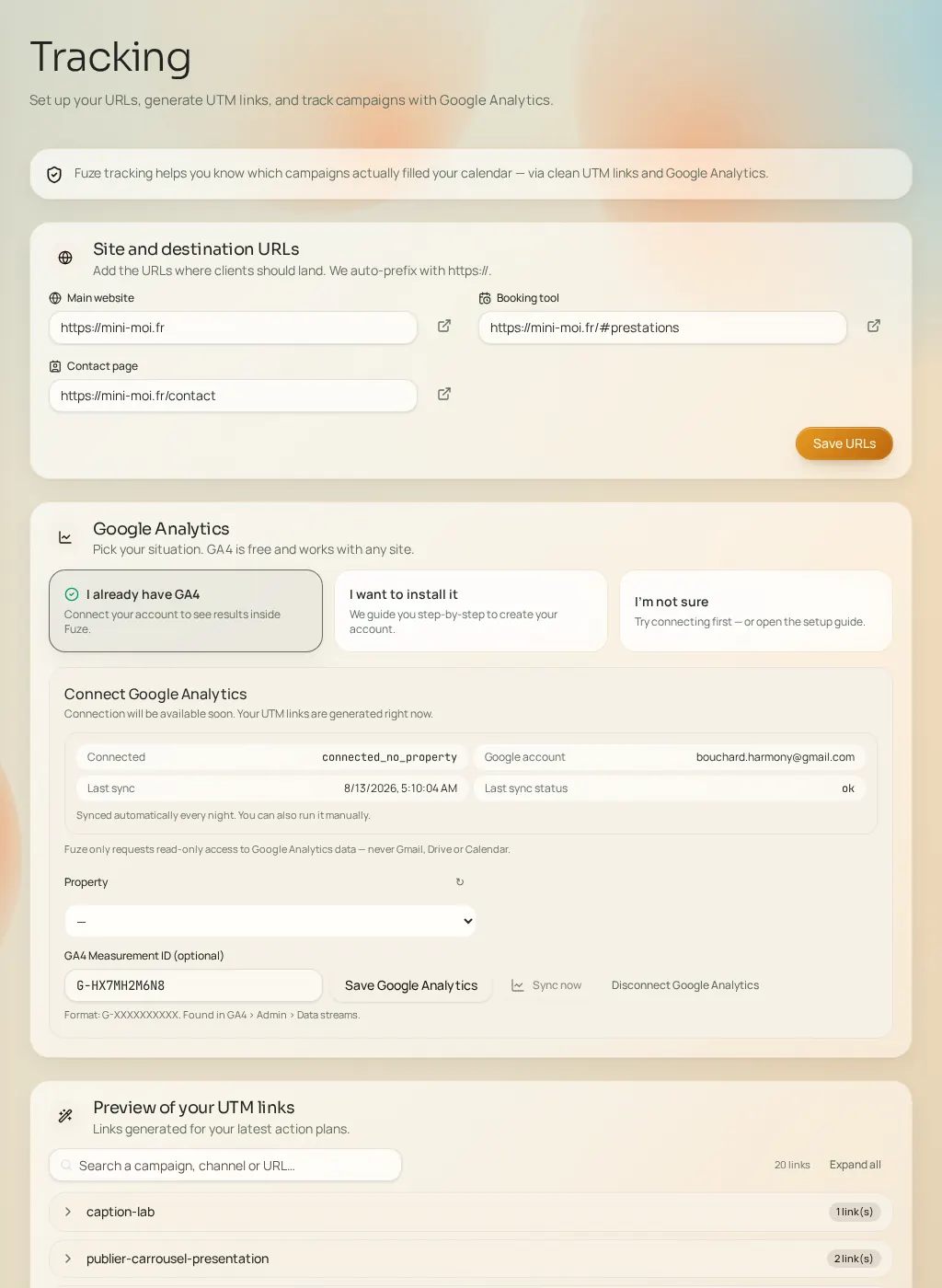
As soon as an action plan is generated, Fuze creates a short, readable tracking link for each piece of content, identifying which campaign and channel a visitor comes from. The "Your links overview" list lets you search, expand, copy or open each link. Until a plan exists, the list is empty — that's normal.
Audience measurement
- Pick your situation: you already have an analytics tool, you want to install it, or you don't know — guidance adapts what follows.
- Connect your account from this page or from Connections.
- Select the property matching your site (required to see data).
- Run "Sync now" to import the latest figures.
Reading performance
Once the property is connected and synced, the "Campaign performance" block shows the sessions, visitors and engagement attributed to your campaigns. Depending on the connection state, the dashboard shows adapted guidance: not connected, missing property, awaiting data, reconnection required, or active.