
Advanced learning — memory & learning
Your studio's long-term memory and learning profile: what Fuze retains, and how you stay in control.
2 min read
This page brings together Fuze's two forms of learning: an explicit memory you write, and a learning profile computed from your feedback. A "How it works" panel at the top sums up the mechanics. Reading and managing this page is free.
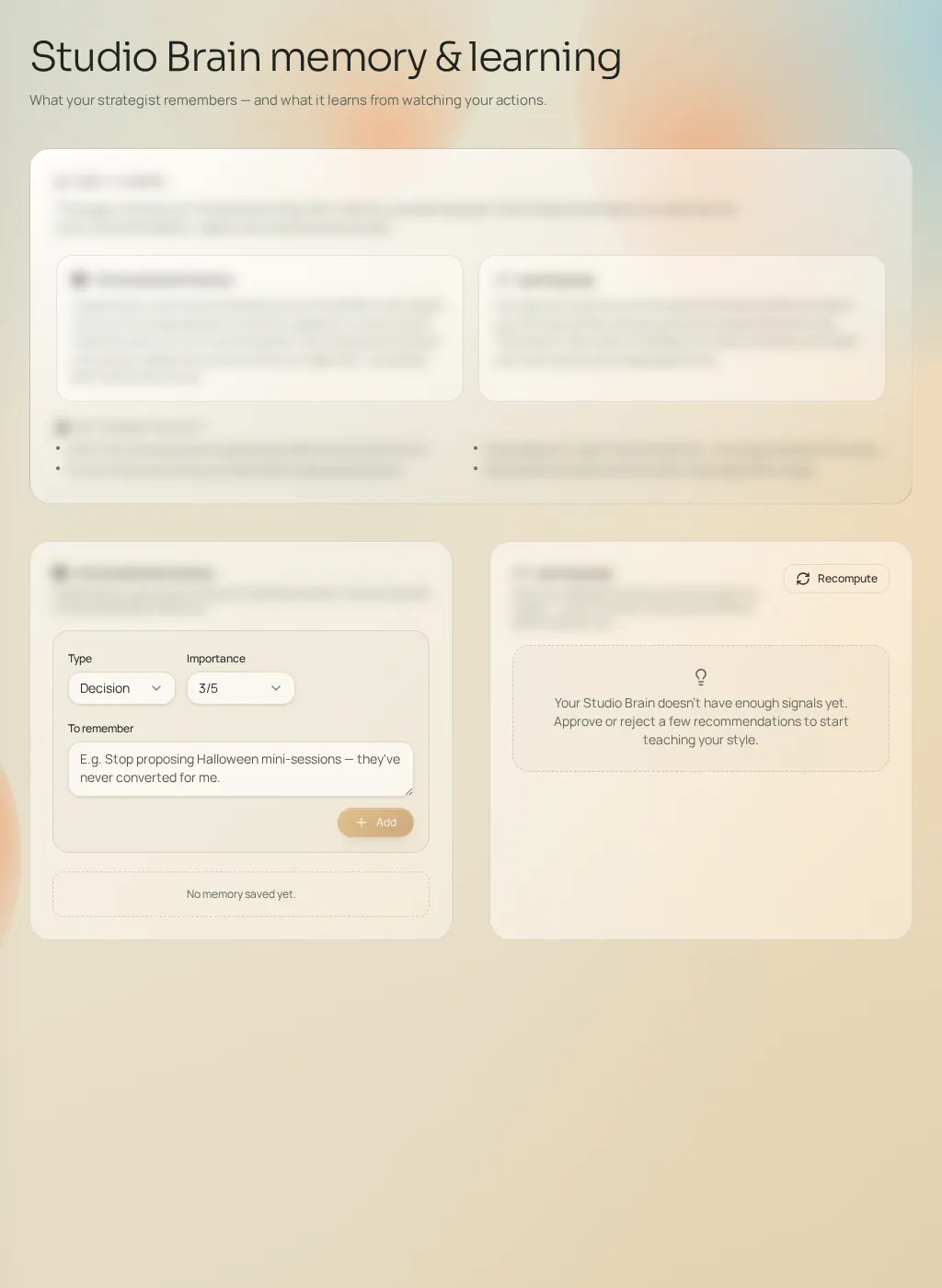
Memory
- "Add" records a lasting fact: a type, an importance from 1 to 5, and the text to remember (e.g. "Stop suggesting Halloween mini-sessions — they never converted for me").
- Pinning a memory makes it a priority in the next generations.
- Deleting forgets it permanently.
The learning profile
Fuze observes your feedback (thumbs, ratings, requested refinements, plans marked as done) and infers a profile: what works for you, what gets rejected, your implicit preferences. Two actions are available: "Recompute" to refresh the profile from the latest feedback, and "Reset the profile" to start over.
If the page looks empty
The learning profile only appears after initial feedback: rate a few actions, refine an opportunity, mark a plan as done — then come back here and recompute.