
Caption Lab
The caption workshop: analyze your writing style, generate captions that sound like you — from your photos alone or in batch —, or get an existing caption audited.
3 min read
Caption Lab is Fuze's writing workshop, designed for social posts. It combines three modes around one idea: your captions should sound like your studio, not like a robot.
The three modes
- Style fingerprint
- Analyzes your past captions to extract your style: tone, length, structure, emoji and hashtag usage. Provide at least 3 captions of about twenty characters minimum each (pasted or via screenshots); you can manually correct the detected profile. Your analysis history is kept.
- Generation
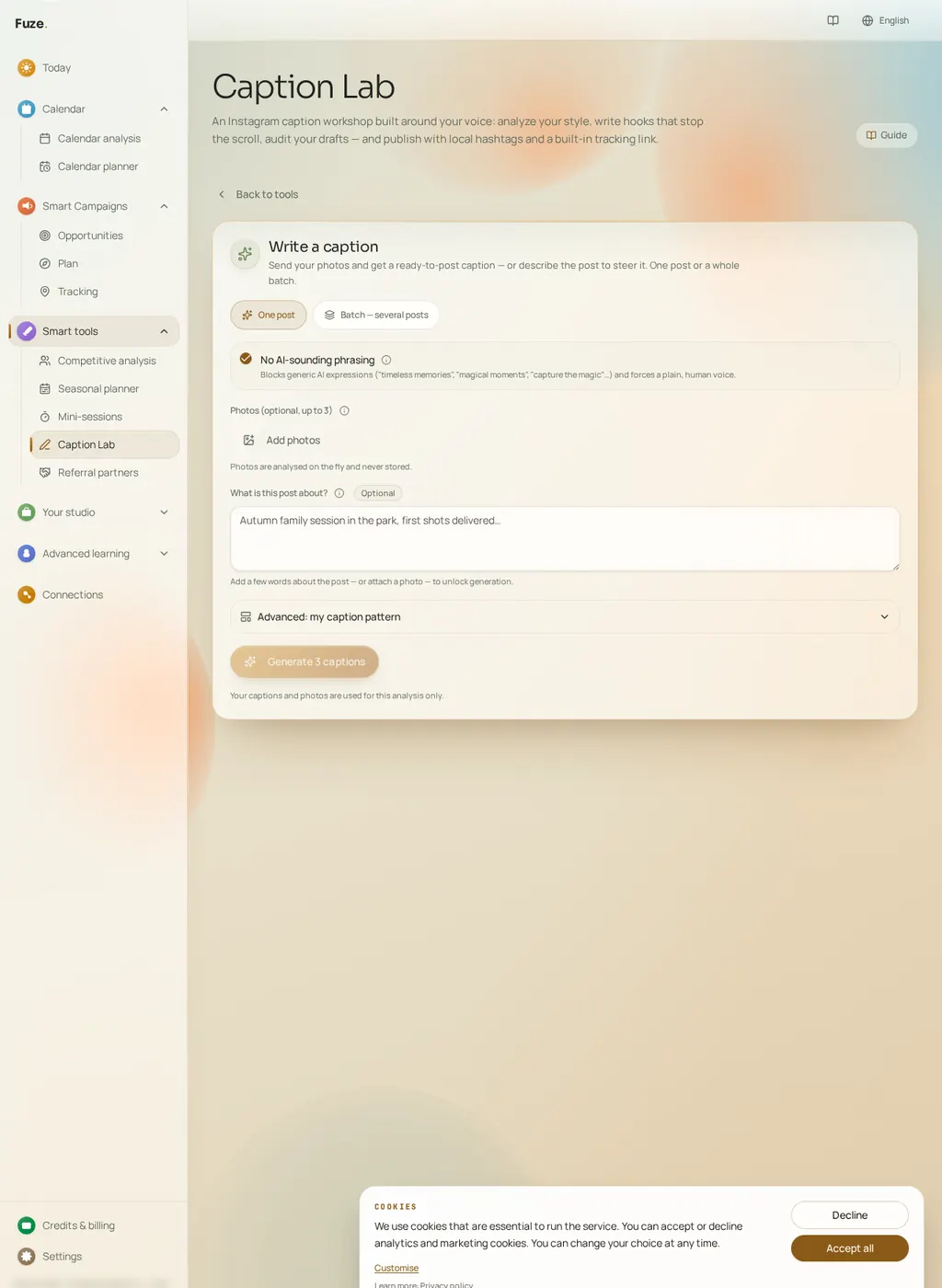
- Writes captions from your style fingerprint and your brand (words to use or avoid, luxury level…). The topic is optional: simply send your photos and Fuze writes from what is genuinely visible in them. You can attach up to 3 photos per generation; they are analyzed on the fly and never stored.
- Audit
- Paste an existing caption: Fuze grades it, points out what weakens it and proposes a rewritten version.
Generate from your photos alone
The "What is this post about" field is optional: it becomes simple additional context. Without a topic, Fuze analyzes the photo (visible subject, mood, season, session type) and writes the full caption — hook, body, call to action, hashtags — following your style fingerprint. It never invents a price, a promotion or a testimonial: only what is visible and what you declared in your studio is used.
The caption template (advanced mode)
In the generation settings, you can define your own template: free text mixing fixed text (reused verbatim in every caption) and variables filled in by Fuze. Clickable chips insert the variables without typing them; unknown variables are flagged before generation.
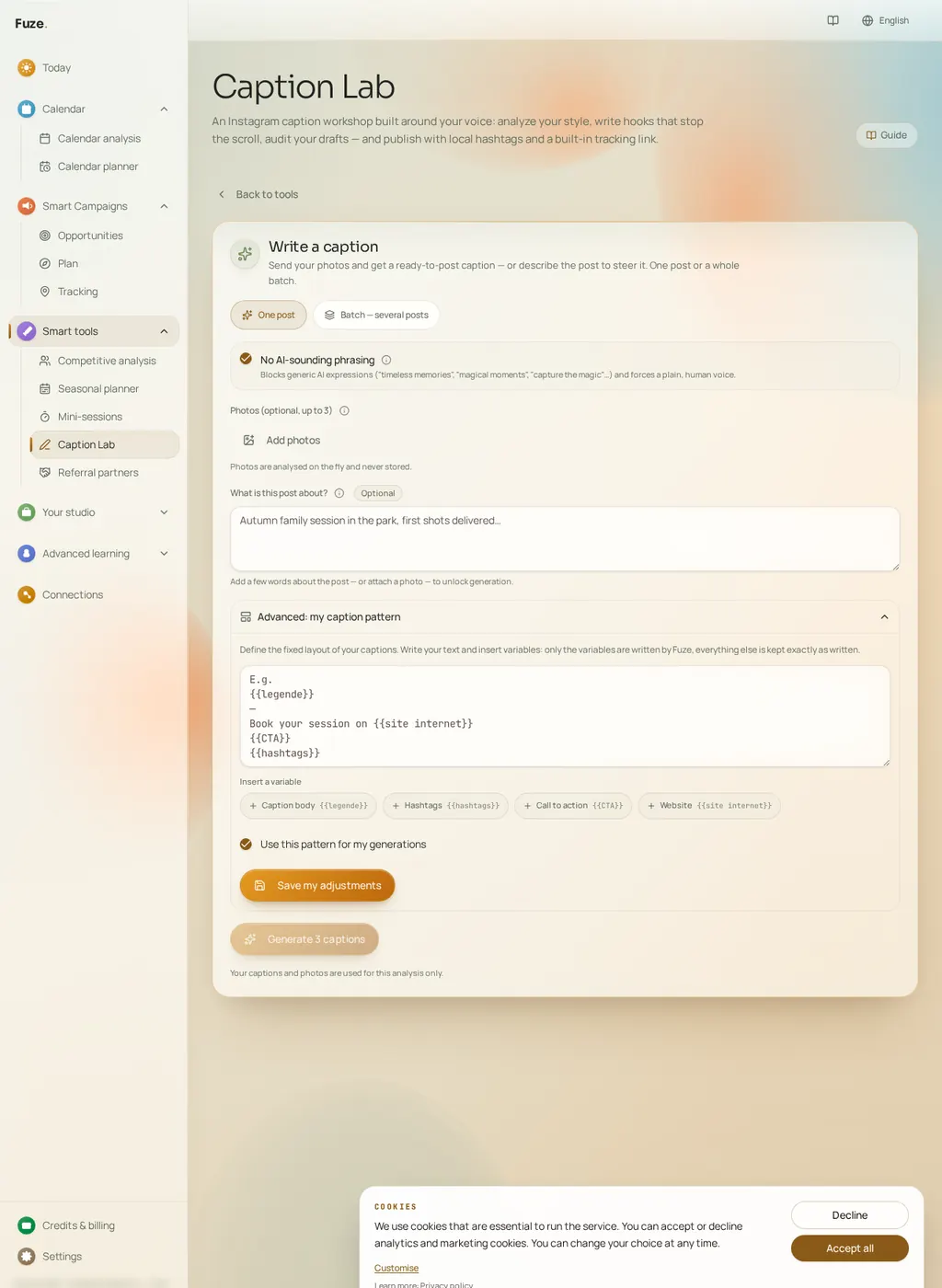
- {{legende}}
- The caption body written by Fuze (photo analysis, optional context, style fingerprint).
- {{hashtags}}
- The local, layered hashtag block generated for the post.
- {{CTA}}
- The call to action written by Fuze.
- {{site internet}}
- Replaced by your website address, as declared in your studio profile.
The template is saved in your fingerprint and applies to all generations (single and batch) while it is active; a switch lets you disable it temporarily without losing it. Your style still applies to the written parts: tone, target length, emojis, banned words.
Batch mode (several posts at once)
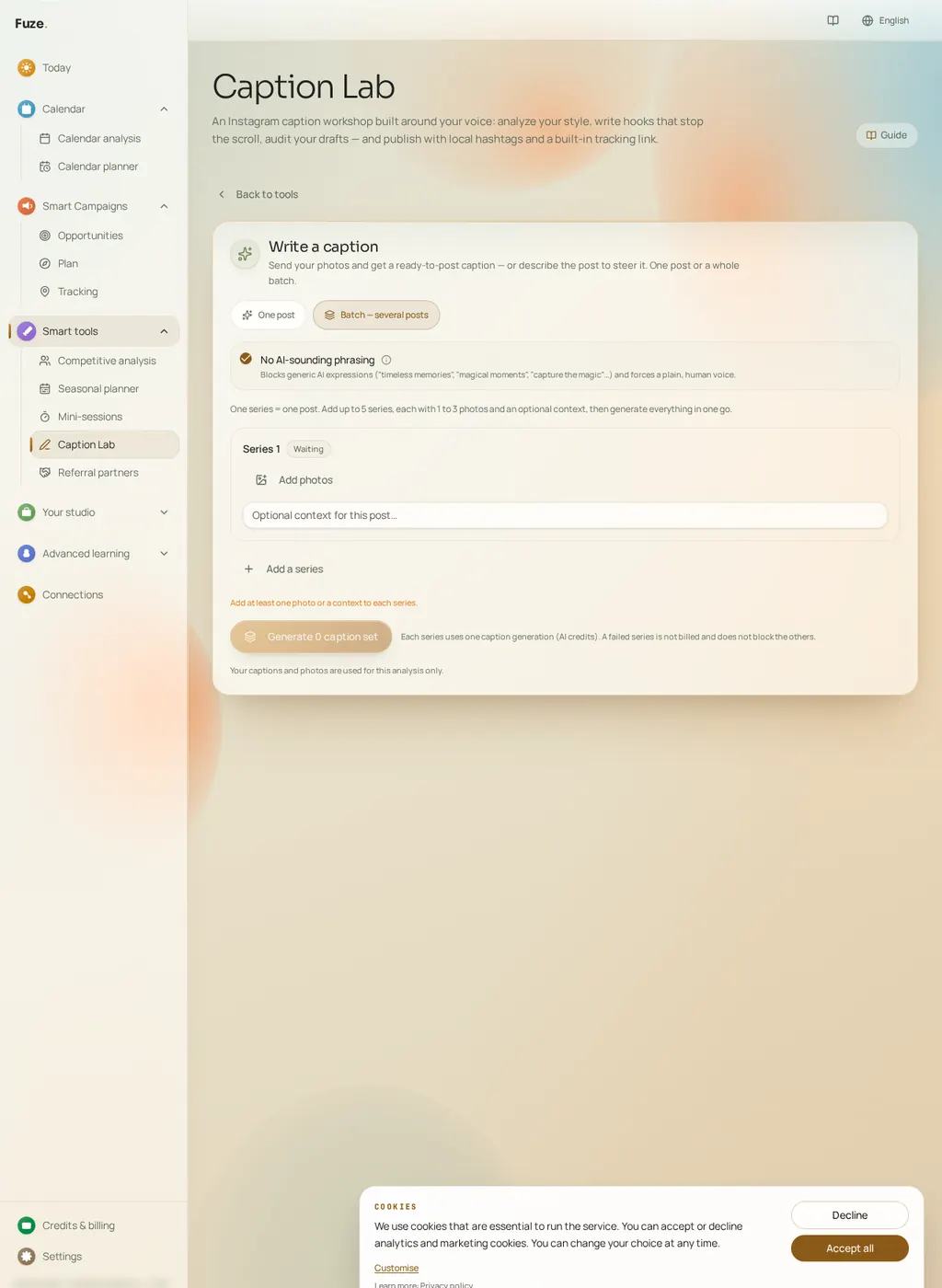
- Create 2 to 5 series: each series is one post, with 1 to 3 photos and optional context.
- Run "Generate all": series are processed one after another, with a visible status for each (waiting, running, done, error). The estimated total cost is shown before launch.
- Each completed series produces a full caption ready to post, with its thumbnail, an individual copy button and a "copy all" button. A failed series does not block the others and costs nothing; you can regenerate it on its own.
Getting the most out of it
- Analyze your fingerprint first: generating without a style profile produces more generic captions.
- Paste your real captions, not idealized examples: the fingerprint must reflect your actual writing.
- Without a topic, pick sharp, representative photos: the caption is based on what is genuinely visible.
- An audit before publishing is the fastest way to improve a text that feels "almost right".