
Calendar analysis
An X-ray view of your activity: event heatmap, workload indicators and a per-slot opportunity map.
2 min read
This page turns your calendar into a business reading: where your time goes, where the gaps are, and which free slots are worth acting on.
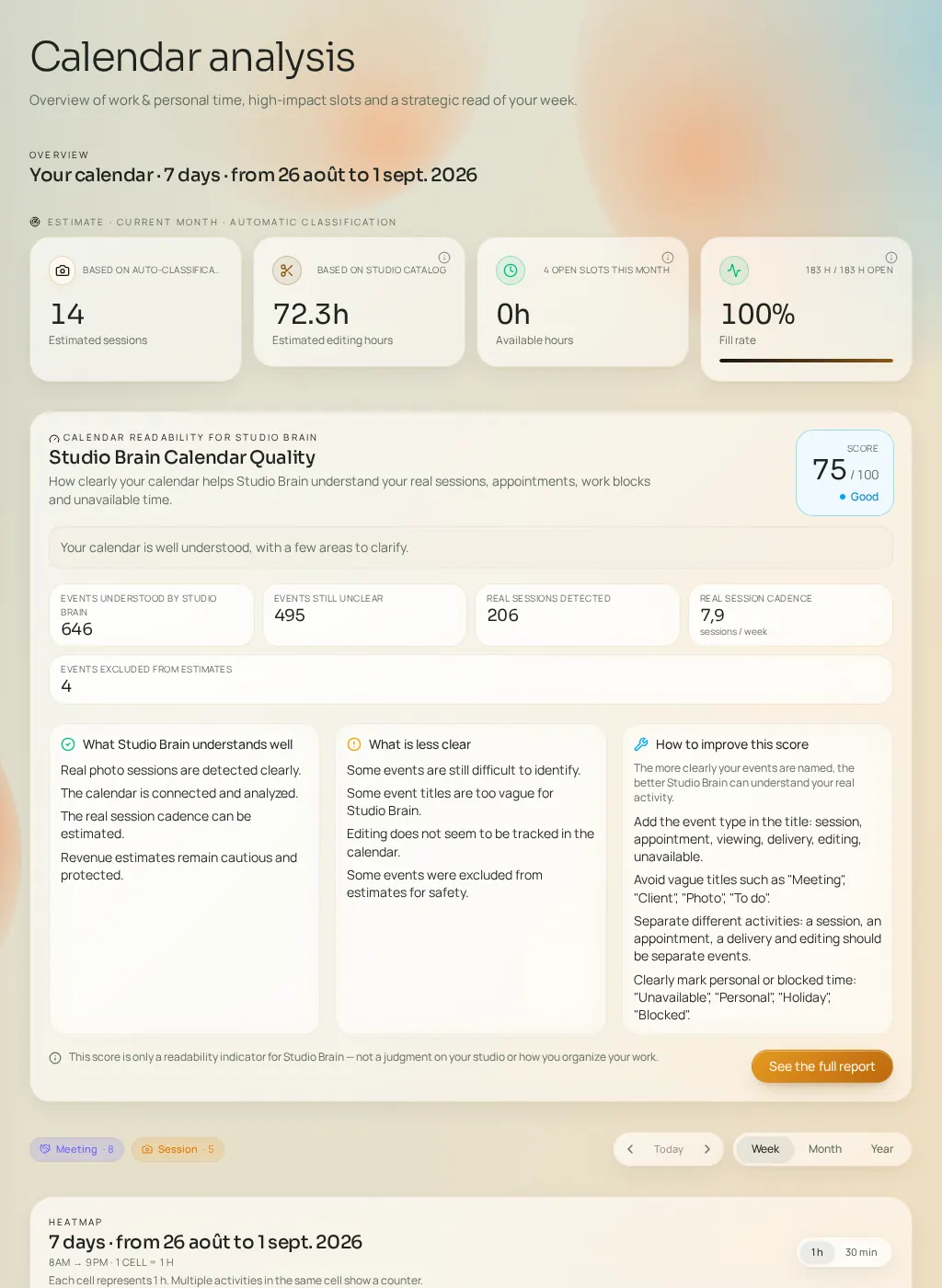
The indicators
- Estimated sessions
- How many sessions Fuze recognizes in your calendar over the period. These are estimates: they depend on how clear your event titles are.
- Estimated editing hours
- Post-production time inferred from your sessions and catalog settings.
- Available hours
- Time that's actually usable, computed from your declared availability minus what's already booked.
- Fill rate
- The share of your capacity already in use. A very low rate signals untapped commercial potential; a very high one signals overload risk.
The heatmap
Every event is color-classified: session, appointment, editing, delivery, admin, personal, time off — or "undefined" when Fuze couldn't qualify it. Switch between Week, Month and Year views and navigate through time.
The opportunity map
Free slots are scored from low to high. Click "Analyze this slot" to open the full diagnostic: recommended angle, estimated impact, confidence level, urgency, ease, induced workload, burnout risk, best channels and pitfalls to avoid. The "Create a strategy" button sends that slot into the plan generation flow.
The calendar confidence score
A 0–100 score measuring how well Fuze understands your calendar (understood events, unclear events, real shoots detected, weekly cadence). Three panels detail what Fuze understands, what's unclear, and how to improve. You can generate a full reading-quality report — that generation consumes credits.